How to Check Website Position on Google: What It Really Means and Why It Matters
If you’ve ever typed a keyword into Google and wondered, “Where does my website even show up?” — you’re asking one of the most common, most quietly urgent questions in the entire world of digital publishing. And you’re definitely not alone. Millions of people ask some version of this question every single day: website owners, bloggers, small business owners, marketing teams, freelancers, and curious beginners who just want to understand how the web actually works.
The honest answer has gotten a little more complicated recently. But the basics are still very much learnable. And once you understand what a Google ranking really is — and how to actually check yours — something clicks into place about how the whole internet operates. Let me walk you through it as someone who finds this stuff genuinely interesting.
Quick Facts
| Key Fact | Detail |
| Google’s market share | Around 91–92% of all search engine traffic globally |
| PageRank patent filed | January 9, 1998, by Larry Page and Sergey Brin at Stanford |
| Google’s public PageRank score removed | March 2016 |
| Percentage of Google queries now seeing AI Overviews | ~48% as of early 2026 |
| Organic click-through rate drop when AI Overview appears | ~58–61% decline |
| Pages in top 3 positions get roughly | ~10% CTR (position 3), vs ~3% at position 7 |
| Ranking factors Google considers | 200+ signals, including content quality, links, speed, and user experience |
| Google algorithm updates per year | Thousands of small tweaks, plus several major named updates |
| Best free official tool for checking position | Google Search Console |
| How often rankings change | Daily, sometimes hourly, for competitive keywords |
Where All This Started
Let’s go back to the late 1990s for a moment, because understanding the history actually helps everything else make sense.
Before Google, search engines were not very good. They mostly ranked websites based on how many times a keyword appeared on the page. So if you typed “best pizza” and a page said “best pizza” forty times in a row, it ranked first — even if it was garbage content. The web was messy, and finding reliable information was genuinely hard.
Two PhD students at Stanford University — Larry Page and Sergey Brin — thought there had to be a better way. Their insight was borrowed from academic publishing: in academic journals, a paper that gets cited by many other papers is probably more important than one that nobody cites. What if links worked the same way?
They called their idea PageRank — named both after Larry Page and after the concept of ranking web pages. The first patent was filed on January 9, 1998. The idea: every link from one website to another is like a vote. And votes from well-trusted, important websites count more than votes from obscure, unknown ones. It was a remarkable idea, and it made Google’s results dramatically better than anything else at the time.
Google launched publicly in 1998 and grew quickly. For years, you could actually see your website’s PageRank score — it appeared in the Google Toolbar as a number from 0 to 10. SEO professionals (people who specialize in improving Google rankings) became obsessed with it. Then in 2016, Google removed that visible score from its toolbar entirely. But here’s the thing: Google’s engineers have confirmed that the underlying concept of PageRank — the idea that links signal trust — still lives inside their algorithm today, just evolved and combined with hundreds of other signals.
See also “Does Google Meet Have a Time Limit? Everything You Actually Need to Know“
What “Position” Actually Means
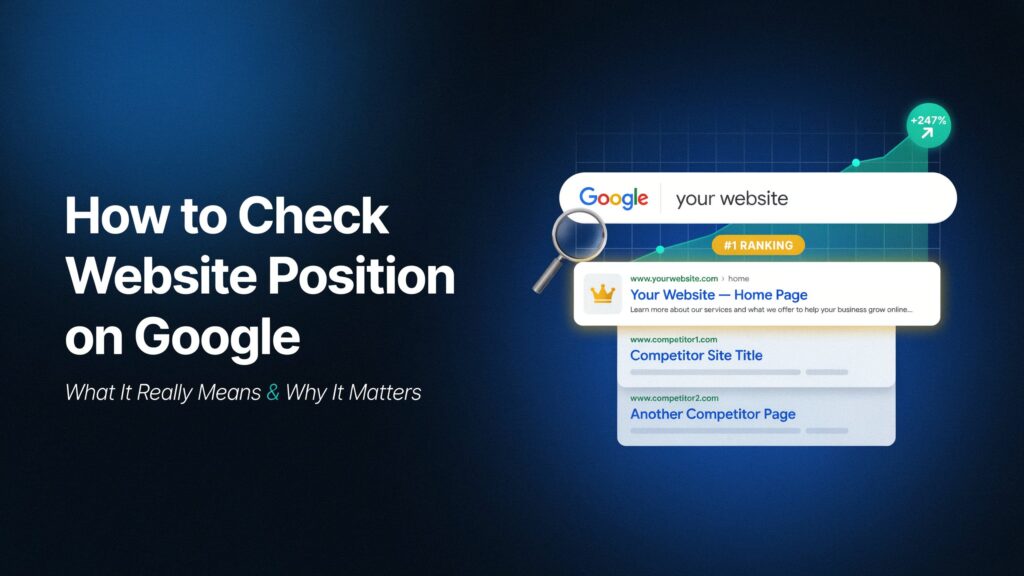
When someone says “my website is in position 3 on Google,” they mean that if you search a specific keyword, their page is the third result you see. Position 1 is at the top. Position 11 means you’re on page 2.
That sounds simple. But there are a few things worth knowing right away.
First, your position for one keyword can be completely different from your position for another. A page might be in position 2 for “best coffee shops in Edinburgh” but position 47 for “coffee history.” You rank on a keyword-by-keyword basis, not as a whole site in one slot.
Second, your ranking isn’t permanent. It changes constantly. Every year, Google modifies its algorithm thousands of times. Competitors publish better content. Your website loads too slowly on someone’s phone. A link pointing to your site disappears. Any of these things can shift your position — sometimes by a few spots, sometimes by much more.
Third — and this is something that trips people up a lot — if you search for your own website from your own computer, you probably won’t see an accurate result. Google personalizes search results based on your location, your browsing history, and what you’ve clicked before. If you’ve been visiting your own site regularly, Google will show it higher for you than it does for everyone else. That’s not your real ranking.
How to Actually Check Your Position
There are three main ways to do this, and each one has its strengths.
Google Search Console is the most important tool, and it’s completely free. It’s Google’s own official service for website owners, and it gives you data straight from the source. Once you verify that you own a website and add it to the Search Console, it starts collecting data about how your pages appear in Google’s results. You can see which keywords people searched before clicking to your site, how many times your pages appeared (called impressions), how many people actually clicked, and — this is your average position for each term is the crucial component.
To find your position in Search Console: go to the Performance tab, click “Search results,” then make sure the “Average Position” metric is toggled on. Scroll down and you’ll see a table showing every keyword your site appeared for, with its average position.
One important limitation: Search Console gives you averages. If your page bounced between position 1 and position 10 during the same week, it’ll show you position 5 or 6. That smoothed-out number is useful for trends, but it doesn’t tell you exactly where you stood at any given moment.
Searching in incognito mode is the quick-and-dirty approach that many people try first. Open your browser’s private or incognito window — this clears out your personal browsing history so Google can’t personalize results based on your behavior. Then search for your keyword and scroll through the results manually. This is fine for a fast check, but it’s not precise. Your location still affects results, and Google still runs different experiments on different users. For casual use it’s good enough, but don’t rely on it for serious tracking.
Third-party rank tracking tools are what professionals use when they need detailed, accurate, consistent data. These are services like Ahrefs, SEMrush, Moz, AccuRanker, SERanking, and many others. They simulate searches from clean, neutral servers — not personalized to any user — and they do it from specific locations you choose. They also run checks on a regular schedule and show you how your rankings change over time, which keywords are climbing, which are falling, and how you compare to competitors.
These tools typically cost money, though most offer free trials or limited free versions. For a small personal website, Google Search Console combined with occasional incognito checks might be all you need. For a business that depends on organic traffic, a proper rank tracker is usually worth the investment.
The Part Everyone Forgets: Your Ranking Isn’t One Number
Here’s something that genuinely surprises a lot of people when they first hear it: there is no single, definitive ranking for your website. It’s more like a constantly shifting cloud of positions, depending on who’s searching, where they are, what device they’re using, and what time of day it is.
For the same keyword, a person searching from Sydney might receive entirely different results from someone searching from London. Someone on a phone might see a different order than someone on a laptop. Google is always experimenting — showing slightly different result orders to different groups of users to see which arrangement gets better responses.
This also means that when your ranking “drops” by a few spots from one day to the next, it might not mean anything alarming. Rank trackers call this normal volatility. Most small fluctuations — a position or two up or down — settle themselves within a few days without you doing anything at all. The SEO professionals who handle this well are the ones who look at trends over weeks and months, not panicking over a single-day dip.
That said, bigger, sustained drops — losing ten positions and staying there for two weeks — usually do signal something real. Maybe a competitor improved their content. Maybe a Google algorithm update changed how the platform evaluates your topic. Maybe a technical issue broke part of your site. These things require attention.
Why Your Ranking Matters (and When It Might Matter Less Than You Think)
For years, the logic was beautifully simple: the higher you rank on Google, the more people visit your site. Ranking position 1 is better than position 3, which is better than position 7, and so on. Studies have confirmed this repeatedly. A page at position 3 gets roughly a 10% click rate. A page at position 7 gets around 3%. A page on page 2 might get less than 1%.
That logic still applies — but something significant has changed.
Google now shows what it calls AI Overviews on nearly half of all searches. These are the big summarized answers that appear above the traditional blue link results, generated by Google’s AI systems. When an AI Overview appears, users read the answer right there on the page and often don’t click anything. Research tracking millions of searches found that when AI Overviews appear, the click rate to traditional organic results drops by roughly 58 to 61 percent. That’s enormous.
What this means practically: you might rank in position 2 for a keyword, feel good about it, and still see far less traffic than you’d expect — because the AI Overview above you answered the question before anyone needed to click. Although your ranking appears to be good, the visitors are simply not occurring.
This doesn’t mean ranking is no longer important. It absolutely still is. It means that the full picture of your search visibility now includes not just where you rank, but whether your content appears inside AI Overviews, how many of your keywords trigger those summaries, and what other signals — like brand visibility and direct search traffic — are also growing.
Common Misconceptions Worth Clearing Up
One thing I hear often: “I searched for my keyword and my site came up first, so my SEO must be working great!” Maybe. But if you were logged into your Google account and had visited your site a dozen times that week, Google likely showed your site higher for you specifically. Check from a clean incognito window, or better yet, use Search Console to see real aggregated data.
Another one: “My ranking dropped, so something must be broken.” Rankings fluctuate constantly, every day, for perfectly healthy websites. A drop of two or three positions that bounces back within a week is usually just normal algorithmic noise, not a sign of a problem.
And a very common one: “I need to be number one for everything.” Realistically, most websites do well by ranking in the top three to five positions for a handful of highly relevant keywords. Trying to rank first for enormously competitive, broad terms (like “coffee” or “shoes”) is extremely difficult and often not where the real traffic opportunity lies anyway. Specific, longer keyword phrases — what people call long-tail keywords — often send more valuable, more targeted visitors.
The Bigger Picture: What Rankings Tell You About the Web
There’s something bigger happening in this topic that’s worth sitting with for a moment.
Google’s ranking system was designed, at its core, to surface the most useful, most trustworthy, most relevant information for any question. That goal has driven billions of decisions — by Google’s engineers, by website owners trying to serve their audience well, and by SEO professionals trying to decode the algorithm.
But the financial stakes are so high that the system has always attracted manipulation too. The history of SEO is partly a history of people finding ways to game the algorithm — buying links, stuffing keywords, creating fake content — and Google constantly evolving to detect and penalize those tactics. It’s an ongoing push and pull.
This raises an honest question: does the highest-ranked page actually represent the best answer? Often, yes. But not always. Google is very good, but it’s also working from signals that can be gamed, estimated, or misread. A well-resourced website with many backlinks can outrank a small site with genuinely more useful, more accurate content. A newer site with excellent information might take months to rank simply because Google hasn’t seen enough evidence of its quality yet.
The ethical side of this matters too. When businesses pour enormous resources into ranking higher, they’re partly serving users — by creating better content — and partly gaming signals that don’t always correlate with actual quality. That tension is worth being aware of.
Where Things Are Heading
The search landscape is changing faster right now than at almost any point in the past decade.
AI Overviews are expanding. More queries trigger them each month. Users are increasingly getting answers without clicking anywhere. Some publishers have seen their organic traffic fall dramatically — not because their rankings dropped, but because the AI summaries above them absorbed the clicks that used to come their way.
This is pushing SEO professionals to think differently. Ranking well is still necessary, but it’s no longer sufficient on its own. The new goal is to become a source that Google’s AI systems trust enough to cite — to be the website whose facts and explanations get pulled into those summaries. That requires content that is genuinely clear, well-sourced, and authoritative, not just content optimized for keywords.
Meanwhile, AI tools are also changing how people search. A growing number of users ask questions through ChatGPT, Perplexity, or similar tools rather than typing into Google at all. Tracking your “position” across all these platforms is a new and genuinely difficult challenge that nobody has fully solved yet.
But here’s something I find quietly hopeful in all this: the underlying principle — that genuinely useful, trustworthy content tends to surface over time — hasn’t really changed. The tactics shift. The tools evolve. The game gets more complicated. But good information, presented clearly and honestly, still tends to find its audience. That’s been true through every algorithm update, and it’s likely to remain true through the next wave of changes too.
Final Words
Checking your website’s position on Google can be reassuring, or it can be anxiety-inducing, depending on what you find. I’ve seen both reactions. A gentle reminder: a ranking is a measurement, not a judgment. It describes what is occurring rather than what ought to occur. The point of knowing your position is so you can make informed decisions — about your content, your site’s technical health, how you’re connecting with your audience.
Use it as information, not as a report card. Check it regularly enough to notice real trends, but not so obsessively that every small shift sends you spiraling. And remember that the number on a rank tracker is just one signal among many. Traffic, engagement, conversions, the relationships you build with readers — those things matter too.
FAQs
1. What’s the best free tool to check my website’s Google ranking?
Google Search Console is the best free option. It gives you real data from Google itself — including your average position for keywords, impressions, and click-through rates. It takes a bit of setup, but it’s worth it for anyone serious about their site’s performance.
2. Can I just Google my site to see where I rank?
You can, but the result isn’t very accurate. Google personalizes search results based on your location, browsing history, and account activity. If you’ve been visiting your own site, it’ll rank higher for you than for everyone else. Don’t base significant judgments on a single manual search, but do use an incognito window for a quick check.
3. Why is my ranking different on different devices?
Google ranks pages differently for mobile and desktop searches. Mobile users tend to see results optimized for phone screens and speed, while desktop results may favor different pages. A well-optimized site should perform similarly across both, but gaps do exist. Track both separately if ranking precision matters to you.
4. How often do rankings change?
Very frequently. Minor shifts happen almost daily. Most small movements — a position or two — are normal and don’t require any response. Larger, sustained changes over a week or two are usually worth investigating.
5. My ranking dropped overnight. What should I do?
First, don’t panic. Check whether Google announced an algorithm update around the same time (sites like Search Engine Roundtable track these). Check whether the drop is limited to one page or your whole site. Look at your site’s technical health — things like page loading speed, broken links, or indexing errors. If rankings recover within a week, it was likely just volatility. If they stay down, there’s probably something specific to address.
6. What’s the difference between Google Search Console and paid tools like Ahrefs or SEMrush?
Search Console shows you data about your own site from Google’s perspective. Paid tools track your rankings from an outside view — simulating what a neutral search would look like — and they also let you see how competitors rank and how positions change over time. Both are useful for different reasons. Search Console for your own site’s health, third-party tools for competitive tracking and trend analysis.
7. How many keywords should I be tracking?
Start with the ten to twenty keywords most relevant to what you actually want your site to be found for. Add more as you learn what’s working. Tracking five hundred keywords at once can be overwhelming and expensive. Focus on the ones that actually connect to your goals.
8. Does a higher ranking automatically mean more traffic?
Not necessarily anymore. The rise of Google’s AI Overviews means that even pages ranking in the top three positions sometimes receive fewer clicks than expected, because the AI answer above them gives users what they need without requiring a click. Track actual traffic alongside rankings to get the full picture.
9. I ranked on page one for a while and then disappeared. What happened?
Several things can cause this. A Google algorithm update may have changed how the search engine evaluates your type of content. A competitor may have published something better. Technical issues on your site — like slow loading, broken pages, or poor mobile experience — can cause drops. Or your page may have slipped due to a lack of fresh content or new backlinks. Check all of these areas before assuming something catastrophic.
10. Is it possible to rank well on Google without paying for ads?
Absolutely. The results you’re trying to rank in — called organic results — are unpaid. Google’s paid ads appear separately, usually at the top or bottom of results and labeled as ads. Strong organic rankings don’t require any ongoing ad spend. They do require good content, solid technical foundations, and patience.
11. Do I need an SEO tool to check my ranking at all?
Not necessarily. Google Search Console alone gives you meaningful ranking data for free. You only really need paid tools if you want detailed competitor analysis, daily rank tracking across hundreds of keywords, or historical ranking comparisons that Search Console doesn’t provide.
12. How long does it take to rank on Google?
Honest answer: it varies a lot. A brand-new site with little content and no backlinks might take six months to a year to rank meaningfully for competitive keywords. A well-established site adding a strong, relevant new page might rank within days or weeks. Local searches and very specific long-tail keywords tend to rank faster than broad, competitive ones.
13. What is an AI Overview and how does it affect my ranking?
An AI Overview is a box that appears above the traditional search results on many Google searches, showing an AI-generated summary. Fewer visitors go on to the webpages beneath it when one shows up. Research from 2025 and 2026 found that organic click-through rates drop by 58 to 61 percent when an AI Overview is present. Your traditional ranking is still tracked the same way, but it may result in less traffic than it would have a few years ago. Getting cited inside an AI Overview — becoming one of the sources it references — is becoming as important as ranking in the traditional results.
14. My competitor ranks higher than me for the same keyword. What can I do?
Study their content carefully. Is it more thorough? Better organized? Updated more recently? Does their page load faster? Do they have more external sites linking to them? These are the main levers. The best response to a competitor outranking you is almost always to genuinely improve your content — make it more useful, more clear, more complete — rather than to try to game any particular ranking signal.
15. Is ranking on Google still worth investing in?
Yes, though the nature of the investment is shifting. Organic search still sends meaningful traffic to websites across every industry. The rules have changed somewhat — AI Overviews are changing click patterns, and the algorithm keeps evolving — but useful, trustworthy content on well-maintained websites continues to get found. The strategy has just become more about genuine quality and authority, and less about checking off technical boxes. That’s probably a good development, honestly.
Empowering curious minds to explore, learn, and think deeper with Fact Aura.