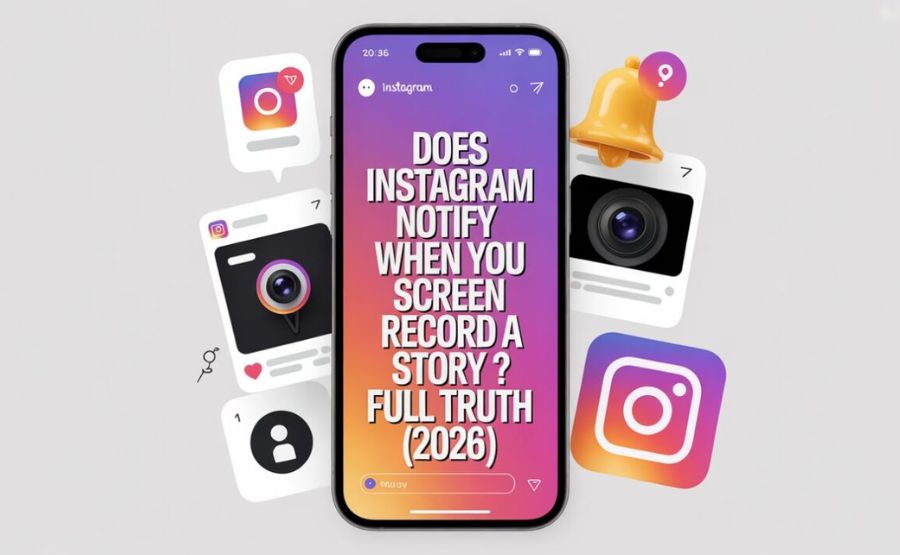
Does Instagram Notify When You Screen Record a Story? The Honest Answer
If you’ve ever hit the record button on an Instagram Story and then immediately felt a little wave of panic — wait, did they just get a notification? — you are absolutely not alone. Millions of people have that same moment every single day. It’s one of those questions that sounds simple but carries a surprising amount of history, confusion, and genuine social weight.
So let’s just sit down and work through this properly, as if we were talking it over a cup of tea.
The Short Answer First
No. When you screen record someone’s story on Instagram, no one is informed. Not a ping. Not a badge. Not a quiet little icon next to your name. Nothing at all.
You can record a Story from a public account, a private account, or even someone’s Close Friends-only Story, and they will have no idea you ever did it. That’s been the consistent reality since 2018, and it holds true today in 2026.
But here’s the thing — the question has layers. And once you understand those layers, a lot of the confusion people carry around finally makes sense.
Key Facts
| Question | Answer |
| Does Instagram notify screen recording of Stories? | No — no notification is sent |
| Does Instagram notify screenshots of Stories? | No — same rule applies |
| Was this always the case? | No — Instagram briefly tested Story screenshot alerts in early 2018 |
| Why was that feature removed? | User backlash; engagement dropped; feature felt invasive |
| Does anything on Instagram trigger a notification? | Yes — disappearing photos/videos in DMs (View Once, Vanish Mode) |
| Does screen recording a regular DM trigger a notification? | No — only disappearing content in DMs does |
| What happened to DM screen recording in late 2024? | Instagram began blocking it with a black screen on many devices |
| Can third-party apps tell if you screenshot a Story? | No — these apps are scams; Instagram doesn’t share that data |
| Does screen recording a Reel trigger a notification? | No |
| Does screen recording a Live trigger a notification? | No |
| Does the Story owner see you in their viewer list? | Yes — viewing is recorded, but recording is not |
| Is there any way to know if someone screen recorded your Story? | No way exists inside Instagram |
A Little History: When Things Were Different
Back in early 2018, Instagram actually tried something different. For a few months, the app experimented with placing a tiny camera icon next to a viewer’s name whenever they took a screenshot of someone’s Story. If you screenshotted someone’s Story during that window, they’d see a little symbol beside your username in their viewer list.
The reaction was immediate — and not good. People found it uncomfortable. Some felt watched. Others started posting fewer Stories because the idea of someone knowing they’d saved it felt awkward, even when the intent was completely innocent. Story engagement numbers started to dip. Within a few months, Instagram quietly and without much fuss removed the feature.
Since then, Stories have been screenshot-and-record-friendly. No one gets told. The feature has never come back, and as of now, there are no announced plans to bring it back either.
What’s interesting is that this short-lived experiment from years ago is still responsible for a lot of the anxiety people feel today. Rumors spread fast on the internet. Someone who used Instagram during that 2018 test period might still believe the feature exists — and they might have told friends. Those friends told other friends. And suddenly it feels like a well-known fact, even though it hasn’t been true for years.
See also “The United States Country Code: Everything You Actually Need to Know About +1“
How It Actually Works Right Now
When you open someone’s Instagram Story and press your phone’s screen recorder button, a few things happen — and a few things very specifically do not happen.
What does happen: you get added to the Story’s viewer list. This is purely about the act of watching. Your name silently appears on the list as soon as you open the Story while logged into your account. The Story owner can check who’s watched it. That part is real.
What does not happen: there is no separate flag, no star icon, no notification, and no signal of any kind that tells them you also pressed the record. From their side, you look exactly like any other person who just watched it. The viewer list doesn’t change. Their insights don’t change. Their notification center stays quiet.
It doesn’t matter whether you use your phone’s built-in screen recorder, a third-party recording app, or even a computer screen capture tool. Instagram has no way to detect the recording itself. iOS and Android simply don’t give apps that kind of access to the screen recording process.
The One Place Where Instagram Does Notify
This is the part that trips people up the most, because there is a scenario where Instagram does send an alert — it’s just not Stories.
If someone uses the “View Once” or “Allow Replay” options in Instagram Direct Messages to send you a vanishing picture or video, and you take a screenshot or try to screen record it, the sender gets a notification. It shows up right in the chat thread, nearly instantly.
On top of that, Instagram updated things in late 2024 to go even further. On many devices, if you try to screen record disappearing DM content, your recording just captures a black screen. The content itself doesn’t get recorded at all. The app essentially blocks the capture at the system level.
There’s also Vanish Mode — a feature where messages disappear after both people have seen them. Screenshots and screen recordings in Vanish Mode also trigger notifications.
So the rule of thumb is actually pretty clear once you see it:
If the content is meant to disappear — Instagram protects it. If it’s not — Instagram stays quiet.
Stories disappear after 24 hours, yes. But they’re designed as broadcast content, visible to many people at once. The intent is different from a private disappearing message sent directly to one person. That distinction is what drives Instagram’s whole approach here.
Why Instagram Made These Choices
It might seem strange that a platform would choose not to notify people when their content is saved. Shouldn’t creators want to know?
The answer comes down to what Instagram’s product team figured out pretty quickly: notification features that create social friction tend to reduce how much people post and engage. When people worry about being “caught” saving a Story, they feel watched. When creators fear that their casual, behind-the-scenes moment will feel too surveillance, they post less freely.
Stories were built to be low-pressure. Throw something up, let it live for a day, don’t overthink it. Screenshot notifications cut against that spirit entirely. They added a layer of awkwardness that didn’t belong there.
There’s also a technical reality. Even during the 2018 experiment, the feature wasn’t hard to beat. Someone could just use a second phone to film their screen. A third-party app that operated outside of Instagram’s notification system might be used by someone else. Screenshot alerts created a false sense of protection. You’d think your content was safe, but it really wasn’t. Instagram eventually concluded that a feature that doesn’t work reliably isn’t worth keeping.
And quietly — though this isn’t something Instagram advertises — letting people save and share Stories actually helps content spread. A great recipe, a funny moment, a moving clip — when people save these and share them, that’s free distribution for the original creator. Blocking that flow with anxiety-inducing notifications doesn’t really serve anyone.
The Viewer List: What It Actually Tells a Creator
Here’s where people sometimes get confused, and it’s worth being really clear.
While Instagram doesn’t track screen recording, it absolutely does track who watches. If you’re logged into your account and you open someone’s Story, they can see your name. This happens whether you screenshot, screen record, or just watch and move on. It’s tied to watching, not saving.
But the viewer list has its own limitations. It’s only visible for 24 hours — the same window the Story is live. After the Story expires, the creator loses access to that list. They can archive the Story, but the viewer data goes dark.
So if someone references a very specific detail from a Story you posted three days ago, there’s no Instagram feature that confirms they screen recorded it. They might have just remembered it. You’d have to rely on context clues, not platform data.
What About Close Friends Stories?
A lot of people assume that Close Friends Stories — those green-ringed posts shared with a curated, smaller audience — must come with extra protections. It feels more intimate, so surely Instagram tracks things more carefully there, right?
Nope. The rules are identical. Someone on your Close Friends list can screen record your Story without you ever knowing. The intimacy of that circle is social, not technical. Instagram treats Close Friends Stories exactly the same way as regular Stories when it comes to screenshots and recordings.
This is actually worth sitting with for a moment. When you share something vulnerable or personal on your Close Friends list, you’re trusting the people on that list — not a technical protection system. Instagram is giving you the choice of who gets in, not the guarantee of what they’ll do with what they see.
The Third-Party App Myth
Every few months, an app pops up claiming it can tell you who screenshotted or screen recorded your Instagram Stories. People download these, pay for subscriptions, and genuinely believe they’re getting real data.
They’re not. Instagram doesn’t share screenshot or recording data with any external apps — full stop. It’s not a policy gap or a workaround situation. The data simply doesn’t exist in any form that can be accessed. Apps claiming otherwise are either making things up, using completely unrelated engagement data (like viewer counts), or worse — stealing your login credentials in the process.
The only safe way to think about this: if you want to know whether someone saved your Story, there is no tool that will tell you. You can ask the person directly. That’s it.
The Ethics Sitting Underneath All of This
Just because Instagram won’t tell on you doesn’t mean there’s nothing to think about here.
When someone posts a Story, they’re often doing it with a certain understanding of who will see it and what will happen to it. A person sharing a difficult moment, or an inside joke for a small circle, or a personal health update — they’re trusting that context will be respected. Screen recording steps outside that context, especially when the recording gets shared somewhere else.
There’s a concept in privacy research called “contextual integrity” — the idea that information flows appropriately when they match the context in which the content was originally shared. A Story shared with 50 close friends, screen recorded and sent to 500 strangers, violates that even if Instagram never sends a single notification.
This doesn’t mean every screen recording is wrong. Recording a recipe. Saving a friend’s travel footage to show them later. preserving an image of something that will vanish. These are natural, harmless things people do all the time. But it’s worth asking yourself: would this person mind? If the answer gives you pause, that pause is probably worth listening to.
What Creators Can Actually Do
If you post Stories and you’re worried about this, there are practical things worth knowing.
Making your account private means only approved followers can see your Stories. That’s your strongest line of defense. Use Close Friends lists to limit particularly personal Stories to people you genuinely trust. Instagram also lets you hide your Stories from specific followers — you can block someone’s view without actually blocking them as a follower.
You can also use disappearing content in DMs for truly sensitive things you want to share one-on-one. That’s the one area where Instagram does provide a technical layer of protection, including the black screen feature for recording attempts.
And honestly — the old advice still holds. If you wouldn’t want something screen recorded and spread around, think twice before posting it to your Story at all. The 24-hour window doesn’t mean the content disappears from the world. It just means it disappears from Instagram’s interface.
What Might Change in the Future
Instagram and its parent company Meta regularly test new features. Privacy is a topic that matters more every year, and the conversation around digital rights is getting louder.
Could Instagram bring back Story screenshot notifications? It’s possible. The technology isn’t the problem — Instagram clearly knows how to build it. The question is whether users would want it. Given how poorly the 2018 test landed, any new attempt would probably need to be optional — a toggle that creators can turn on if they want that level of visibility, rather than a platform-wide default.
Meta has also been experimenting with more creator tools generally, giving people who build content more insights into how that content is used. It wouldn’t be a huge stretch to imagine a future where creators can see rough indicators of content being saved — not necessarily who saved it, but that it was saved. Whether that would feel helpful or invasive probably depends on the person.
For now though, the situation is stable. Stories are private territory when it comes to screenshots and recordings. That’s been true for almost seven years, and it’s where things stand today.
A Quiet Thought Before the FAQ
There’s something quietly freeing about understanding how this actually works. The anxiety that comes from not knowing — “did they get a notification? Am I caught?” — dissolves when you understand the real rules. And the deeper awareness that follows — that just because something is undetected doesn’t mean it’s automatically fine — adds a small but meaningful layer of thoughtfulness to how you use the platform.
Technology sets the rules of what’s possible. How you treat people within those rules is still entirely yours to decide.
FAQs
1. Does Instagram notify you when you screen record a Story in 2026?
No. When you screen record someone’s story, Instagram does not notify the owner.This applies to all Story types.
2. Does it matter if the account is public or private?
No. The same rule applies whether the account is public, private, or a business profile. No notification is sent either way.
3. What about Close Friends Stories — are those different?
No difference at all. Close Friends Stories offer no extra protection against screen recording. The circle is social, not technical.
4. Can someone tell I screen recorded their Story by checking their insights?
No. Instagram Insights for Stories shows views, reach, and interactions — but no data about screenshots or recordings ever appears there.
5. Does Instagram notify when you screenshot a Story (as opposed to screen record)?
Same answer — no notification for screenshots either. Screenshots and screen recordings are treated identically for Stories.
6. Is there any situation on Instagram where recording does trigger a notification?
Yes. Disappearing photos and videos sent in DMs using “View Once” or “Allow Replay,” and messages sent in Vanish Mode, all trigger notifications when screenshotted or recorded.
7. What happened with the 2024 DM black screen update?
In late 2024, Instagram began blocking screen recordings of disappearing DM content on many devices. Instead of capturing the content, the recording shows a black screen. This feature is active on many iOS and Android devices.
8. Can third-party apps tell me who screen recorded my Story?
No. Any app claiming to provide this information is either inaccurate or a scam. Instagram doesn’t share this data with outside developers.
9. If I screen record in airplane mode, is that safer?
For Stories, airplane mode doesn’t change anything — there’s nothing to avoid in the first place. For disappearing DMs, airplane mode sometimes delays the notification but is not a reliable workaround since Instagram’s late-2024 updates.
10. Does Instagram track screen recordings but just not tell the creator?
Not for Stories. Instagram has no visible record of screenshot or recording activity for Stories anywhere in the app.
11. Can I screen record Instagram Stories on a computer?
Yes, and the same rule applies. Watching and recording a Story through a browser triggers no notification to the creator.
12. What if I screen record an Instagram Live?
No notification is sent. Instagram can show creators who join a Live session, but it doesn’t notify about screen recordings.
13. Is screen recording someone’s Story illegal?
In most places, screen recording for personal use isn’t illegal on its own. However, sharing someone’s content without permission — especially copyrighted material or private content — can raise legal issues. If in doubt, ask before you share.
14. Does screen recording affect the Story’s viewer count?
No. Your name appears in the viewer list because you watched the Story, not because you recorded it. The recording itself adds nothing to any metric.
15. Will Instagram ever bring back screenshot notifications for Stories?
Possibly, but there are no announced plans as of 2026. Given the 2018 backlash, any return would likely be an optional creator setting rather than a default feature.
Empowering curious minds to explore, learn, and think deeper with Fact Aura.