Google Block Breaker: The Full Story of the Secret Game Hiding in Plain Sight
You have probably used Google a thousand times this year alone. Maybe more. And there is a good chance you have never noticed that a full, playable arcade game is sitting right there in the search results, waiting for you to find it.
That is the whole magic trick of Google Block Breaker. It does not announce itself. You are not prompted to download anything. It does not make you create an account. You just type two words, see a colorful play button appear under the search bar, click it, and suddenly you are doing something that feels like 1976 all over again.
Let me tell you everything about it.
Key Facts
| Detail | The Answer |
| What is Google Block Breaker? | A hidden arcade game built into Google Search — no download required |
| How to access it | Search “block breaker” or “brick breaker” on Google, then click Play |
| When the modern version launched | January 2025 (as a clean, standalone Search Easter egg) |
| Original version | 2013 — image search thumbnails turned into breakable blocks when you searched “Atari Breakout” |
| When the 2013 version was removed | Around May 2020 |
| Inspired by | Atari’s Breakout (1976), co-created by Steve Jobs and Steve Wozniak |
| How many lives you get | Three (shown as hearts; extra hearts appear as in-game power-ups) |
| Power-ups available | Longer paddle, extra balls, bullet mode, TNT blocks, and more |
| Controls | Mouse movement, A/D keys, or arrow keys on desktop; tap and drag on mobile |
| Works on mobile? | Yes — touchscreen controls work on phones and tablets |
| Need the internet? | Yes — runs through Google Search, not locally offline |
| World record (community-verified) | 144,500 points (reported on Reddit’s gaming community) |
| Official leaderboard? | No — Google does not maintain one |
| Other Google Easter egg games | Snake, Pac-Man, Solitaire, Minesweeper, Tic-Tac-Toe, and others |
| Where to play if Search doesn’t show it | elgoog.im/breakout or googleblockbreaker.net |
The Game That Started Everything: Atari Breakout, 1976
Before Google ever touched a search bar, someone at Atari had an idea for a game.
It was 1975. A young Steve Jobs was working at Atari as a technician. He was given a project: design a single-player version of Pong. The game should let one person play without needing an opponent. Jobs accepted the job, then quietly brought in his friend Steve Wozniak — who was the real engineering genius between them at the time — to do most of the actual circuit design.
Wozniak worked through the night for four nights straight. The result was Breakout. A paddle at the bottom. A ball that bounces. Rows of colored bricks across the top. Your job is to angle the ball into the bricks and knock them out, one by one, without missing the ball when it drops toward you.
It sounds so simple it barely sounds like a game. And yet Breakout became one of Atari’s best-selling titles when it hit arcades in 1976. Something about the loop of it — the ball bouncing, the satisfying crack of a brick disappearing, the rising panic as the ball speeds up — is almost impossible to stop playing.
That loop is what Google eventually borrowed. Forty-seven years after Breakout was born, the same basic mechanic showed up inside the world’s most-visited website.
The First Time Google Tried This: 2013
The original Google block-breaking Easter egg appeared in May 2013. It was quietly brilliant.
If you searched “Atari Breakout” in Google Images at the time, something unexpected happened. The image thumbnails — all those little picture results — didn’t stay in their neat grid. They shuffled together and reformed into rows of colorful blocks. A paddle materialized at the bottom of your screen. A ball appeared. And suddenly you weren’t looking at search results anymore. You were playing a game made entirely out of the pictures you had just searched for.
That image-to-brick transformation was the trick that made it special. The blocks weren’t abstract colored squares. They were the actual thumbnails from your search. Break them and they disappeared. Miss the ball and you lost a life. Clear the whole board and a new set of images assembled itself into a fresh row of blocks.
Tech blogs wrote about it within hours. People shared it by the millions on social media. For a few days in May 2013, “how to play the Google Atari Breakout game” was one of the most searched phrases on the internet.
The Easter egg ran quietly for seven years. Then in May 2020 — without any announcement — it disappeared. Google reorganized its Images interface and the trick stopped working. Players who tried it got nothing.
Some fans were disappointed enough to build their own restored versions. Sites like elgoog.im rebuilt the exact experience locally, so the image-wall-turning-into-blocks magic could still be played. These fan restorations still exist in 2026 and still attract nostalgic visitors.
What Happened in January 2025
Google didn’t let the block-breaking tradition stay gone.
In January 2025 — spotted first by tech writers at Android Police and quickly covered by Android Central, Pocket-lint, and others — a fresh Easter egg appeared in Google Search. This time it was cleaner, more polished, and more deliberately designed as a standalone experience.
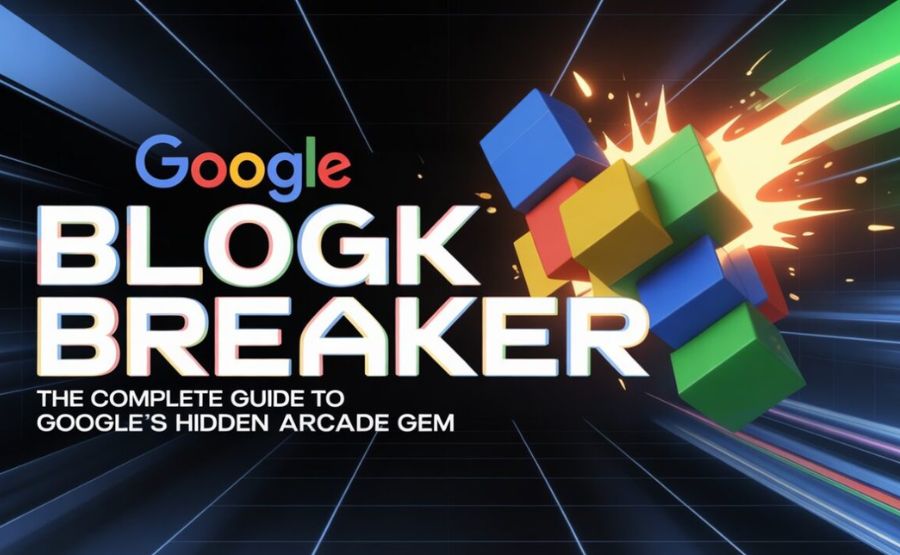
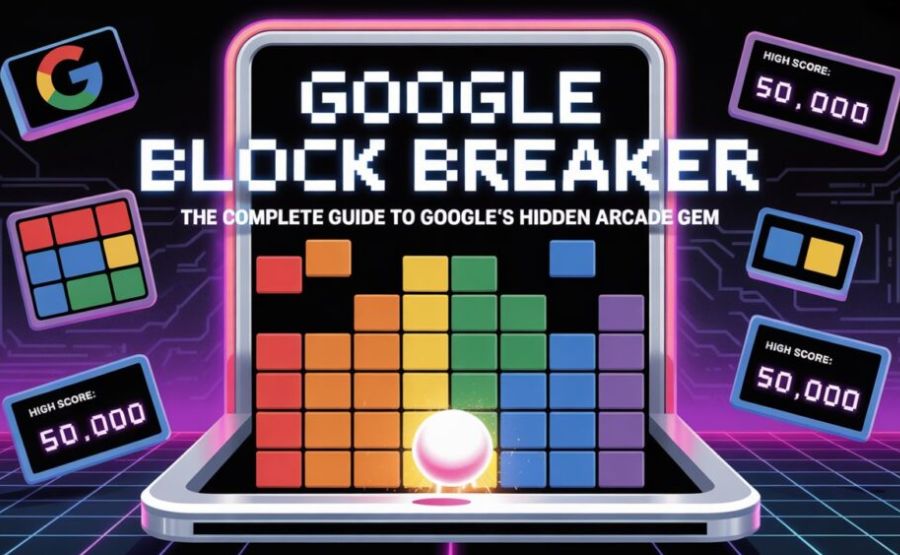
Search for “block breaker” or “brick breaker” and a colorful card appears right at the top of your results, above everything else. It has a recognizable pixel-art logo and a simple Play button. Click that button and the game launches immediately in the search page itself. No new tab. No loading screen. No ads. Just the game.
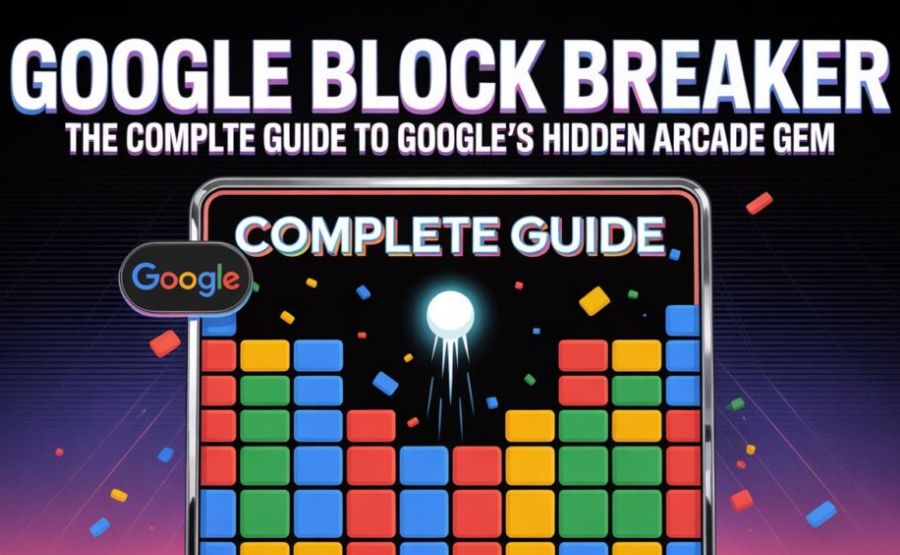
The 2025 version looks and feels like a real arcade game. Google’s signature colors — red, blue, yellow, green — paint the blocks. The sounds are those satisfying retro beeps that take you straight back to the arcade era. The physics feel right. The ball moves at a pace that starts manageable and gradually becomes something you need to concentrate on.
What makes this version different from the 2013 one is that Google added power-ups. The original Breakout was pure and unforgiving — just you, the ball, and the bricks. Google’s 2025 version hides surprises inside certain blocks. Hit one and your paddle grows longer, giving you more room to catch the ball. Hit another and extra balls appear, bouncing in different directions at once while your lives stay intact. Some blocks have TNT symbols on them. Hit those and the surrounding blocks explode. There is even a bullet mode that lets you shoot upward through blocks rather than relying only on the ball.
These additions don’t change the core feeling of the game. They add moments of relief and excitement that keep you engaged across multiple levels instead of just one board.
How to Actually Play Right Now
Here is the honest, no-nonsense version of how to find and play it.
Open any browser on any device. Go to Google. Type the words “block breaker” into the search bar and hit Enter. At the very top of the results page, you will see a card with the game’s logo and a Play button. Click or tap that button.
The game loads in about two seconds.
On a computer, you move the paddle with your mouse. Just slide the mouse left or right and the paddle follows. You can also press the A and D keys, or the left and right arrow keys, if you prefer keyboard control. On a phone or tablet, you press and hold on the screen to set the paddle’s position and drag left or right to move it.
Press the spacebar or tap the screen to launch the ball when the game starts.
You have three lives to begin with, represented by heart icons in the corner. Collect extra hearts that sometimes drop from broken blocks to extend your run. Miss the ball three times and the game ends, showing you your final score.
Clear every destructible block on a level and the next level loads automatically. The blocks get denser, the ball speeds up slightly, and the power-ups become more important.
If the Search version doesn’t appear for you — sometimes Google’s Easter eggs show up differently depending on location or device — you can go to googleblockbreaker.net directly. The elgoog.im site has a separate restoration of the original 2013 image-based version if you want to experience that particular memory.
The Power-Ups Worth Understanding
This is the part that catches first-time players off guard in the best way.
When certain blocks break, they release a falling icon. You catch it with your paddle — let it hit the paddle and it activates, drop it past the paddle and it disappears.
The longer paddle is the most obviously useful. Your paddle grows wider, making it significantly easier to catch the ball. This is particularly valuable on later levels when the ball is moving fast and the angles get trickier.
Extra balls are chaotic and wonderful. Two or three balls suddenly bouncing around at once, breaking blocks in all directions, feels like a controlled explosion. Your lives don’t decrease if you miss the extra balls — only the original ball counts. So this power-up is almost entirely good news.
TNT blocks work passively. You do not need to collect anything. When the ball hits a block marked with a TNT symbol, that block detonates and destroys every block touching it. Clear an entire cluster with one hit. Experienced players learn to notice where TNT blocks are positioned and aim the ball there intentionally.
Bullet mode gives your paddle a shooting ability. Small projectiles fire upward when you press a button, chipping away at blocks directly above you. This is especially helpful when one stubborn block is sitting at an awkward angle and the ball keeps missing it.
Learning which power-ups to prioritize changes how the game feels. Ignoring the longer paddle on a fast level is a mistake. Catching every extra ball you see is almost always worth it.
Why This Feels So Good to Play
There is real psychology underneath the enjoyment of block-breaking games. Researchers who study game design and human attention have noted that Breakout-style games activate the brain’s reward system in a specific, powerful way.
Every brick you destroy gives you instant feedback. You hit the ball, the ball travels, the brick disappears, a small sound plays. That feedback loop — action, result, sound, visual confirmation — repeats dozens of times per minute. Your brain responds to each small success with a small reward. The game is essentially a stream of tiny achievements, continuous and satisfying.
The time pressure makes it even more engaging. You cannot pause to think. The ball keeps moving whether you are ready or not. That mild urgency keeps your attention from wandering. You cannot scroll through the game the way you might scroll through a social feed. You have to stay present.
And there is something genuinely calming about a game with such simple rules. No story to follow. No complex systems to understand. Just keep the ball in the air and break the blocks. For five or ten minutes, everything outside that small rectangle of colored bricks becomes less important.
The Easter Egg Custom at Google and What Block Breaker Means
Google has been hiding surprises in its products for as long as most people can remember.
The Chrome browser has its famous T-Rex dinosaur game. It appears automatically when your internet connection drops — instead of an error message, a small pixelated dinosaur shows up. Press the spacebar and it starts running. Cactuses appear. You jump over them. It is the world’s most popular game that only appears when something has gone wrong.
In Google Search, the Easter egg library includes Snake (the classic Nokia phone game), Solitaire, Pac-Man, Minesweeper, Tic-Tac-Toe, and more. You trigger most of them the same way as Block Breaker — type the game’s name and a play button appears.
What connects all of these is the feeling of discovery. You were doing something ordinary. You searched for something. And then the website surprised you. That element of surprise is rare in 2026. Most apps and websites are meticulously predictable. Google’s Easter eggs deliberately break that predictability, and they do it in a way that costs you nothing and asks nothing of you in return.
Block Breaker fits this tradition perfectly because it takes one of the most recognizable game mechanics in history and makes it accessible to literally anyone on Earth who has an internet connection. You do not need gaming experience. You do not need an account. You do not need to pay. You need two words and a click.
The Honest Limitations
No game is perfect, and it would not be fair to skip over what Block Breaker does not do well.
The game requires an internet connection. Unlike the Chrome dinosaur game, which works precisely because your internet is down, Block Breaker exists only in Google Search. No connection means no game. That is a small limitation but a real one.
There is no save system. If you close the tab mid-game, your progress is gone. Start over from level one. This is fine for the kind of short-break experience Google designed it for, but if you are chasing a high score, interruptions are expensive.
The level progression does not scale dramatically in the earlier stages. The first few levels feel easy enough that players looking for a challenge may get a little impatient before the game gets genuinely hard. The difficulty ramp steepens, but it takes a while to get there.
There is no official leaderboard. The highest community-verified score — 144,500 points, reported by a Reddit user — exists only because people chose to document it themselves. If you set a new personal best, there is nowhere to submit it except the same informal community spaces. This relieves pressure on the score, which is why some players adore it. Others wish Google had included even a simple local high-score tracker.
And the game’s mobile experience, while functional, is slightly less precise than desktop. Moving a paddle with a finger on a small phone screen gives you less control than a mouse. Touch controls work, but experienced players notice the difference.
A Thought About What This Kind of Thing Does for People
There is something I find genuinely touching about Easter eggs in digital products.
We live in an era where almost every online experience is designed to maximize engagement, collect data, show advertisements, or push you toward purchasing something. Google Search itself is a commercial product. The search results are shaped by algorithms, SEO, and advertising revenue.
And then, sitting right there in the middle of all that infrastructure, is a tiny free game that nobody asked for, that earns Google nothing, that just exists to give someone a small moment of unexpected delight.
That matters more than it sounds like it should.
The person who first discovered the 2013 image-search version and immediately called a friend over to show them — that was a human moment inside a software product. The ten-year-old who finds Block Breaker in 2026 while doing homework research and ends up playing it for fifteen minutes before remembering what they were looking for — that is also a human moment.
Google Block Breaker will not change anyone’s life. But it does something small and kind. It says: we could have made this space purely functional. Instead, we hid a game here. Go find it.
Final Words
Fifty years ago, Steve Wozniak stayed up for four nights to design Breakout circuits on a tight deadline. The game he built helped launch one of the most iconic companies in technology history — and then launched a genre of games that has never really gone away.
Today, you can find a version of that same game hiding inside the world’s most-used website. Two words in a search bar and it appears. It costs nothing. It takes thirty seconds to start and as long as you like to stop.
Sometimes the best things are that simple.
FAQs
1. What is Google Block Breaker?
It is a free arcade game hidden inside Google Search. You control a paddle at the bottom of the screen, bounce a ball upward, and break colored blocks until the board is clear. No download, no account, no payment. It appears directly in your search results when you look for it.
2. How do I find it and play it right now?
Open Google in any browser. Type “block breaker” or “brick breaker” into the search bar. A colored game card with a Play button appears at the top of the results. Click or tap Play and the game starts immediately.
3. Does it work on my phone?
Yes. The game runs on phones and tablets with touchscreen controls. Press and hold the screen to position the paddle, then drag left and right to move it. Desktop gives slightly more precise control, but the phone version is fully playable.
4. Do I need a Google account to play?
No. The game is open to anyone who can reach Google Search. No login, no registration, no personal information required.
5. Is this the same as the old Atari Breakout Easter egg?
They are related but different things. The original 2013 Easter egg made your Google Images thumbnails turn into breakable blocks when you searched “Atari Breakout.” That version was removed around May 2020. The current Block Breaker, which launched in January 2025, is a standalone game with its own levels, power-ups, and polished design. Both are inspired by the 1976 Atari game Breakout.
6. What are the controls on a desktop computer?
Move your mouse left and right to control the paddle, or use the A and D keys, or the left and right arrow keys. Press the spacebar to launch the ball at the start of each life.
7. What power-ups are in the game?
The main ones are: a longer paddle, extra balls that don’t cost you lives when missed, TNT blocks that explode surrounding blocks when hit, and bullet mode that lets you shoot upward through blocks. When you shatter certain blocks, power-ups fall out; use your paddle to catch them to activate.
8. What happens when I clear all the blocks?
The next level loads automatically. New blocks appear in a different arrangement and the ball’s pace increases slightly. You keep your remaining lives and carry your score forward.
9. What is the world record score?
The highest community-verified score is 144,500 points, reported on Reddit’s gaming communities. Speedrun.com has a moderated score of 111,475 points on its verified leaderboard. Google does not maintain any official records.
10. What if the game doesn’t show up when I search?
Google’s Easter eggs sometimes behave differently by region or device. If it doesn’t appear, try a different browser or clear your browser cache. You can also play a version directly at googleblockbreaker.net, or experience the original 2013 image-based version at elgoog.im/breakout.
11. Can I play Google Block Breaker offline?
No. Unlike the Chrome T-Rex game, which appears specifically when you lose internet access, Block Breaker runs through Google Search and requires an active internet connection.
12. What other hidden games does Google have in Search?
Quite a few. Searching “snake game,” “pac-man,” “solitaire,” “minesweeper,” or “tic-tac-toe” in Google Search reveals playable versions of each. Google has built up a small library of these games over the years, all accessible through Search with no downloads needed.
13. How long does a typical game last?
That entirely depends on your skill level. A beginner might lose all three lives in two or three minutes. A player who learns the power-up timing and angle control can keep a single game going for thirty minutes or more. The game ends only when you lose all your lives.
14. Is there a way to save my progress?
No. There is no save system. If you close the tab, your game ends and your score is not stored anywhere. This makes Block Breaker a pick-up-and-play experience rather than something you build toward over time.
15. Who originally created the Breakout game that Google is based on?
Atari Breakout was created at Atari in 1975 and 1976. Steve Jobs took on the project and brought in his friend Steve Wozniak to design the circuits. Wozniak completed the design in four intense overnight sessions. The game appeared in arcades in 1976 and became one of Atari’s best-selling titles. The core mechanic — ball, paddle, bricks — has inspired countless games and versions since, including Google’s.
Empowering curious minds to explore, learn, and think deeper with Fact Aura.